Bytebase vs. Liquibase: a side-by-side comparison for database schema migration

If Liquibase is Git, then Bytebase is GitHub/GitLab.
Bytebase and Liquibase both handle database schema migration, but the right choice depends on how your team ships database changes — not just which databases you run. A solo developer writing changelogs in a terminal has different needs than a platform team where DBAs review every production migration.
How They Approach Schema Migration
Liquibase (v5.0, September 2025) is a CLI-first migration engine. You define changes in XML, YAML, SQL, or JSON changelogs, then run liquibase update to apply them. It slots into any CI/CD pipeline as a command-line step. The commercial edition — rebranded from "Liquibase Pro" to Liquibase Secure in September 2025 — adds policy checks, flow files for workflow automation, and structured JSON logging.
Bytebase (v3.16, March 2026) is a web-based platform where developers submit changes, DBAs review and approve them, and the system rolls out across environments. Schema migration is one part of it — SQL review, access control, data masking, and audit logging are built in.
Put another way: Liquibase is Git for databases; Bytebase is GitHub/GitLab for databases.
What They Have in Common
- Native SQL support for defining schema changes.
- GitOps integration — trigger migrations from pull requests.
- Schema synchronization and diff capabilities.
- Change history tracking.
- Tiered pricing with a free community edition.
- Both are open source — though Liquibase switched from Apache 2.0 to the Functional Source License (FSL) in September 2025 with v5.0. Bytebase uses the MIT-like BSL license for its enterprise features.
Key Differences Between Bytebase and Liquibase
| Liquibase (Community) | Liquibase Secure | Bytebase | |
|---|---|---|---|
| Developer interface | CLI | CLI + VS Code extension | Web GUI + API + Terraform |
| Supported databases | 60+ | 60+ | 23 |
| Installation | Java 17 + JVM | Java 17 + JVM | Single Go binary, Docker, or K8s |
| Change execution | Changelog + CLI | Changelog + CLI + Flow files | Issue-based GUI or GitOps |
| Batch change | Manual scripting | Flow files | Built-in multi-env / multi-tenant |
| SQL review / policy checks | — | Policy checks (custom rules) | 200+ rules, free tier included |
| Approval flow | — | — | Risk-based custom approval |
| Rollback | Basic (manual scripts) | Granular + automated | Auto-generated rollback + sync to any version |
| CI/CD integration | Any CLI-based pipeline | Flow files for orchestration | GitOps + GitHub/GitLab native |
| Change history | DATABASECHANGELOG table | + Structured JSON logging | GUI with diff view + issue linkage |
| Data access control & audit | — | — | RBAC, audit log, data masking, SSO |
| Pricing | Free | Quote-based (5 tiers) | Free / Pro (cloud) / Enterprise |
Developer Interface
Liquibase is CLI-only for the Community edition. After Liquibase Hub was sunset in April 2023, there is no web dashboard. The Secure edition added a VS Code extension ("Liquibase Secure Developer") for IDE-based interaction, but the primary workflow remains the terminal.
Bytebase provides a web-based GUI where developers submit changes, DBAs review them, and the platform handles rollout. It also exposes a full API, a Terraform provider for infrastructure-as-code workflows, and a GitHub App for PR-based SQL review.
Supported Databases
Liquibase supports 60+ databases through a modular extension system. Core databases include PostgreSQL, MySQL, Oracle, SQL Server, MariaDB, Snowflake, MongoDB, and DB2. Many database extensions are community-contributed.
Bytebase supports 23 database engines with deep integration: 9 RDBMS (MySQL, PostgreSQL, Oracle, SQL Server, MariaDB, TiDB, OceanBase, CockroachDB, Spanner), 6 NoSQL (MongoDB, Redis, Cassandra, DocumentDB, DynamoDB, Cosmos DB), 7 data warehouses (Snowflake, BigQuery, Redshift, Hive, ClickHouse, Databricks, StarRocks), and Elasticsearch.
Liquibase covers more databases. Bytebase goes deeper on each one it supports — online schema change for MySQL, engine-specific SQL review rules for PostgreSQL, column-level data masking that understands each database's type system.
Installation
Liquibase requires Java 17+ (as of v5.0). Install the JVM, then install Liquibase. The Secure edition includes a one-step certified installer with bundled database drivers.
Bytebase ships as a single Go binary with no external dependencies. Deploy via Docker or Kubernetes in under 5 minutes.
Change Execution
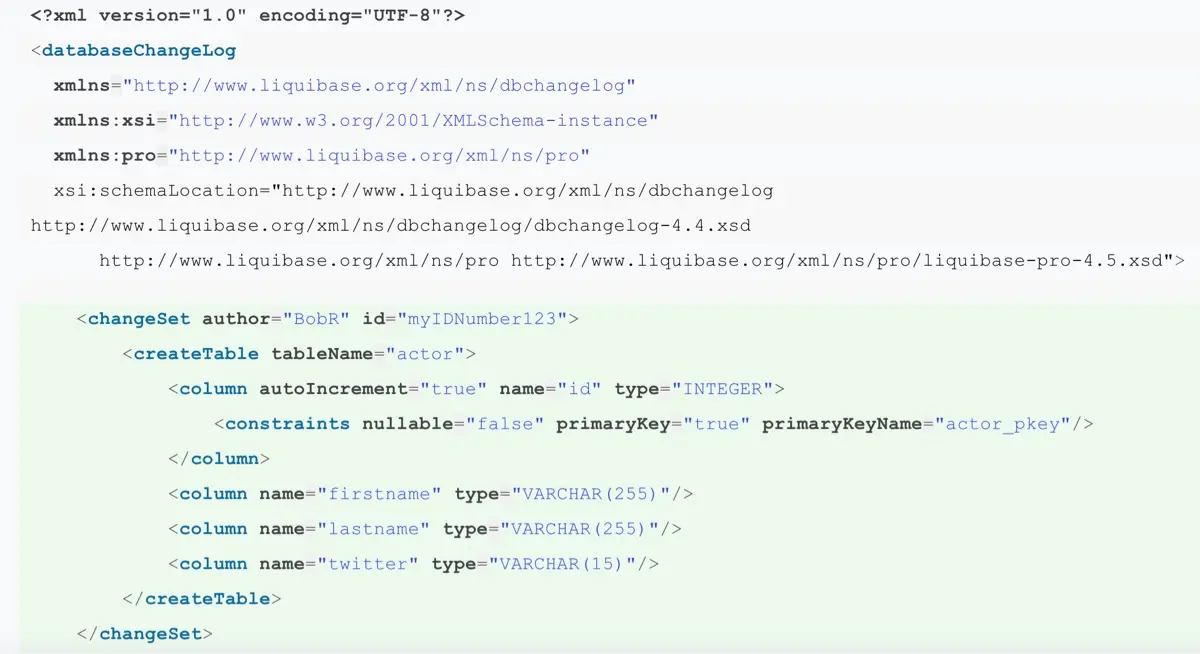
Liquibase uses changelogs — files in XML, YAML, SQL, or JSON that define database changes. You run liquibase update to apply them. Changelogs support preconditions (skip a changeset if the table already exists), contexts (apply only in certain environments), and labels (tag changesets for selective execution). The Secure edition adds Flow files: reusable YAML-based pipelines that chain multiple Liquibase commands with conditional logic — for example, run validate first, then update, and only run rollback if update fails.
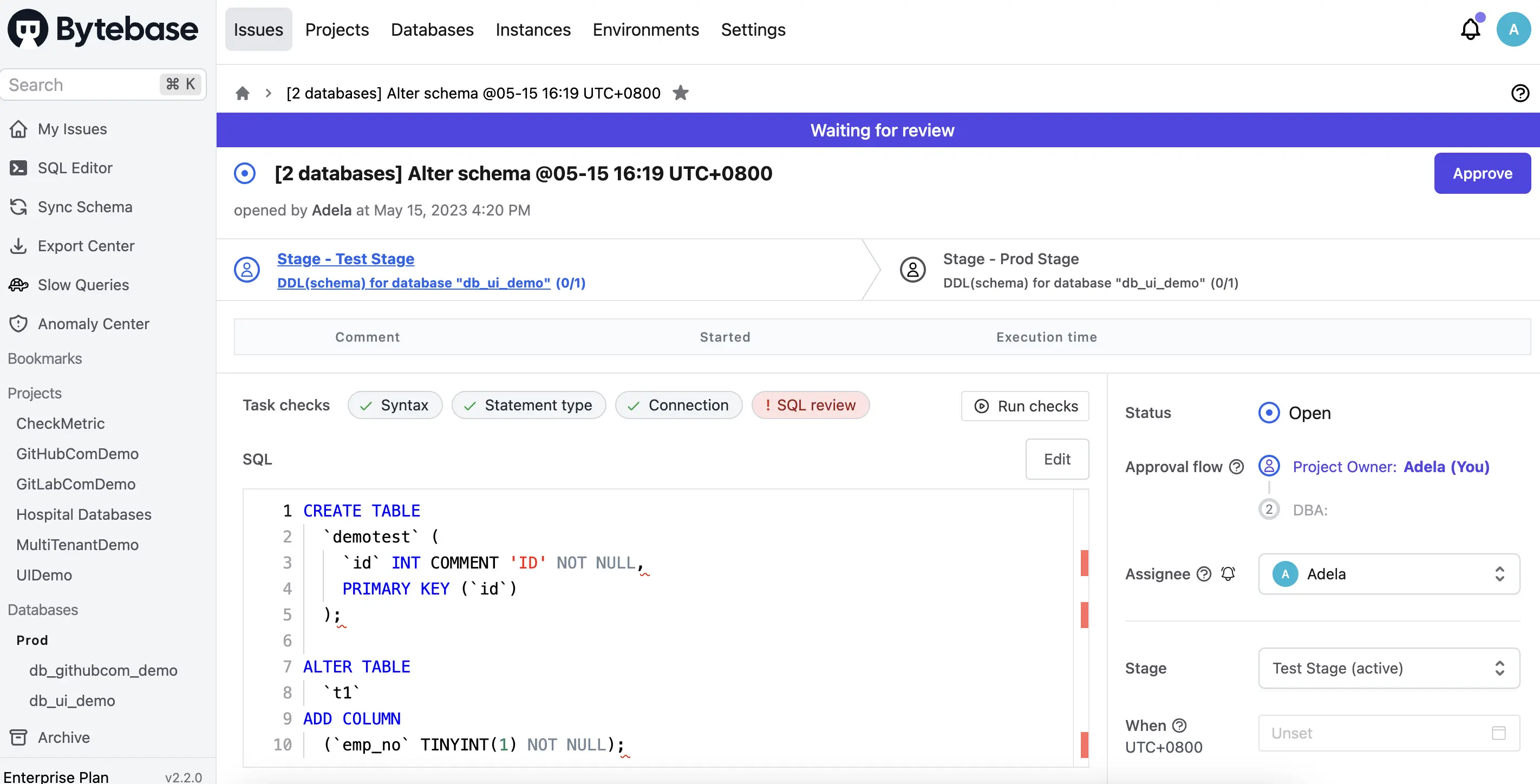
Bytebase uses an issue-based workflow. A developer creates an issue containing SQL statements, which goes through review and approval before execution. Issues can target a single database or batch across environments. Bytebase also supports online schema change for MySQL — large table migrations that would normally lock the table for hours complete in seconds with zero downtime.
Batch Change
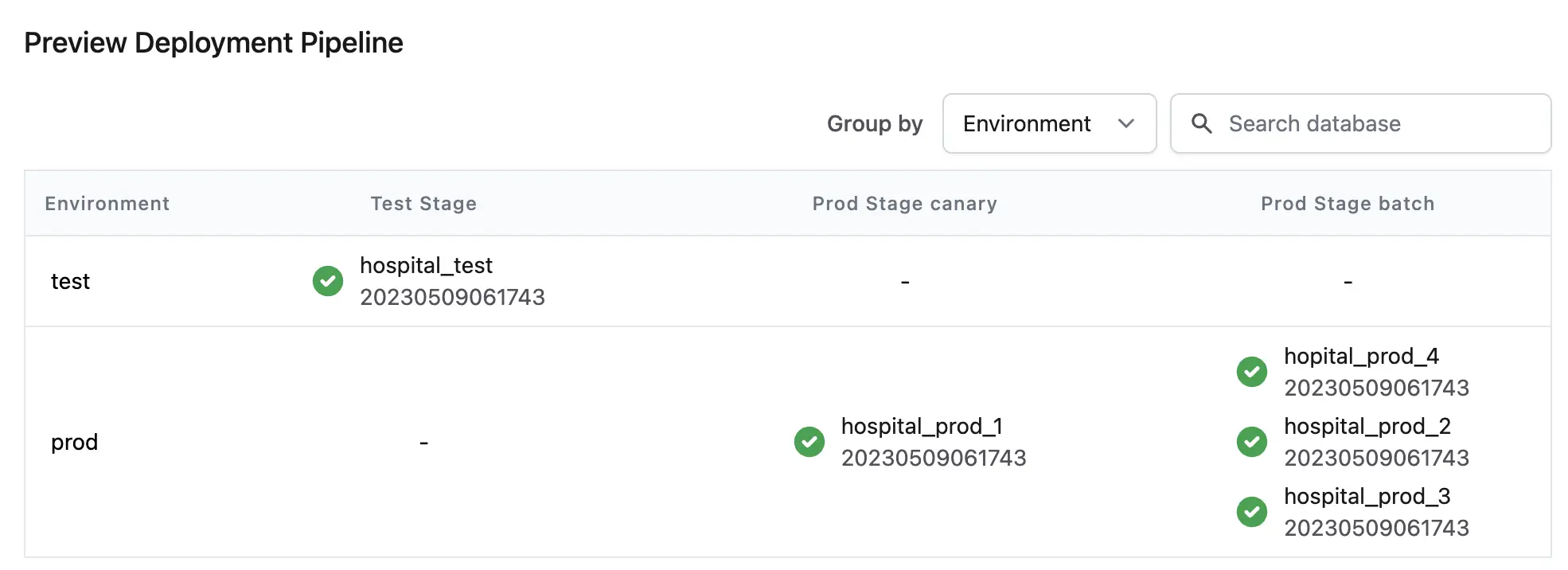
Liquibase doesn't have built-in multi-environment orchestration. You run liquibase update against each target database separately in your CI/CD pipeline. The Secure edition's Flow files help — you can define a YAML pipeline that runs the same changelog against dev, staging, and prod in sequence, with gates between stages. But it's still you writing the orchestration, not the tool managing it.
Bytebase handles this natively. A single issue can roll out changes across multiple environments (dev → staging → prod) or multiple tenants with canary release support.
SQL Review and Policy Checks
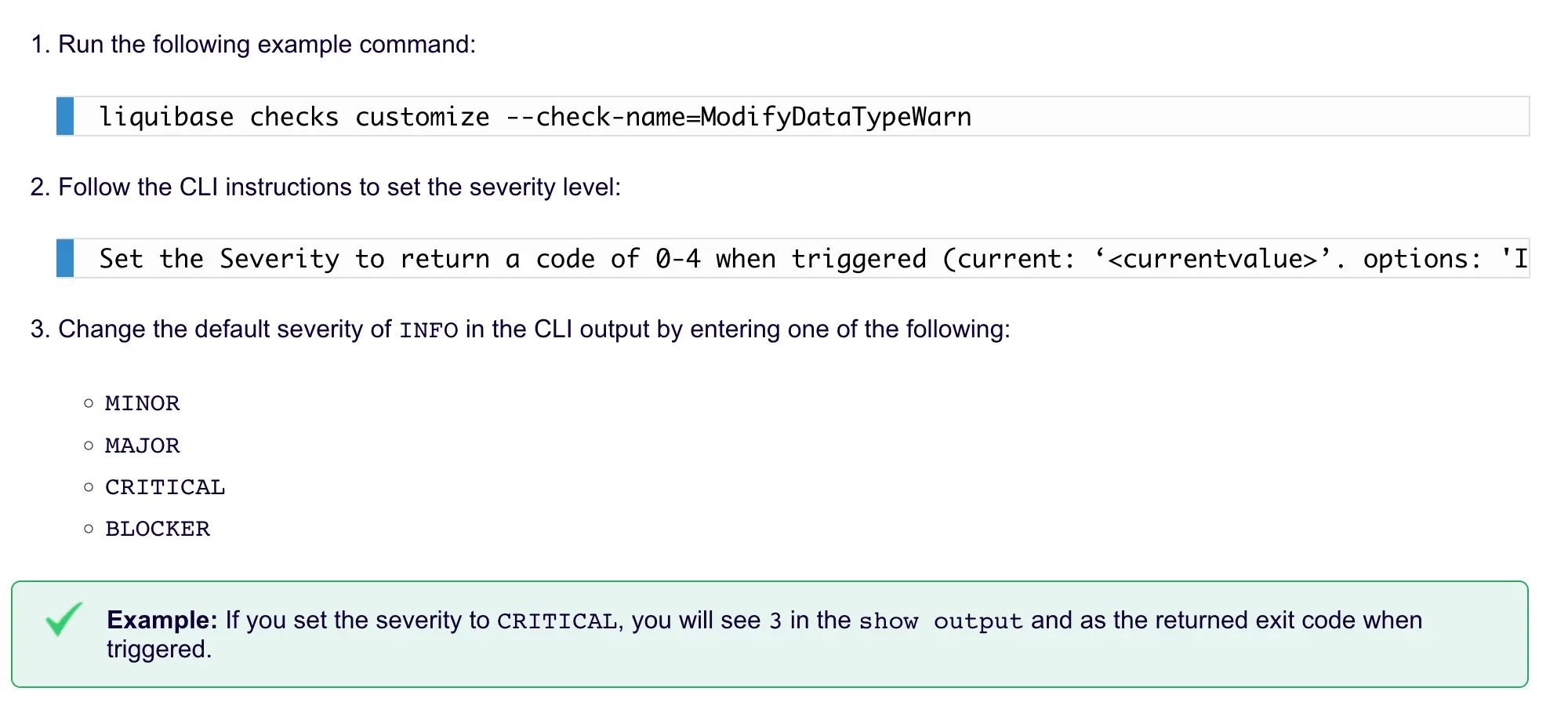
Liquibase Community has no built-in SQL quality checks. Liquibase Secure offers Policy Checks (renamed from "Quality Checks" in September 2024) with custom rules and conditional logic chains (AND/OR/NOT). You can write checks like "block any changeset that drops a table in production" or "require a rollback section for every changeset." These operate on changelog structure and SQL patterns — useful for governance, though less granular than engine-specific SQL analysis.
Bytebase includes SQL Review with 200+ rules across MySQL, PostgreSQL, Oracle, SQL Server, and more — available in the free tier. Rules are database-engine-specific (not generic), and you can configure error levels per environment (warn in dev, block in prod).
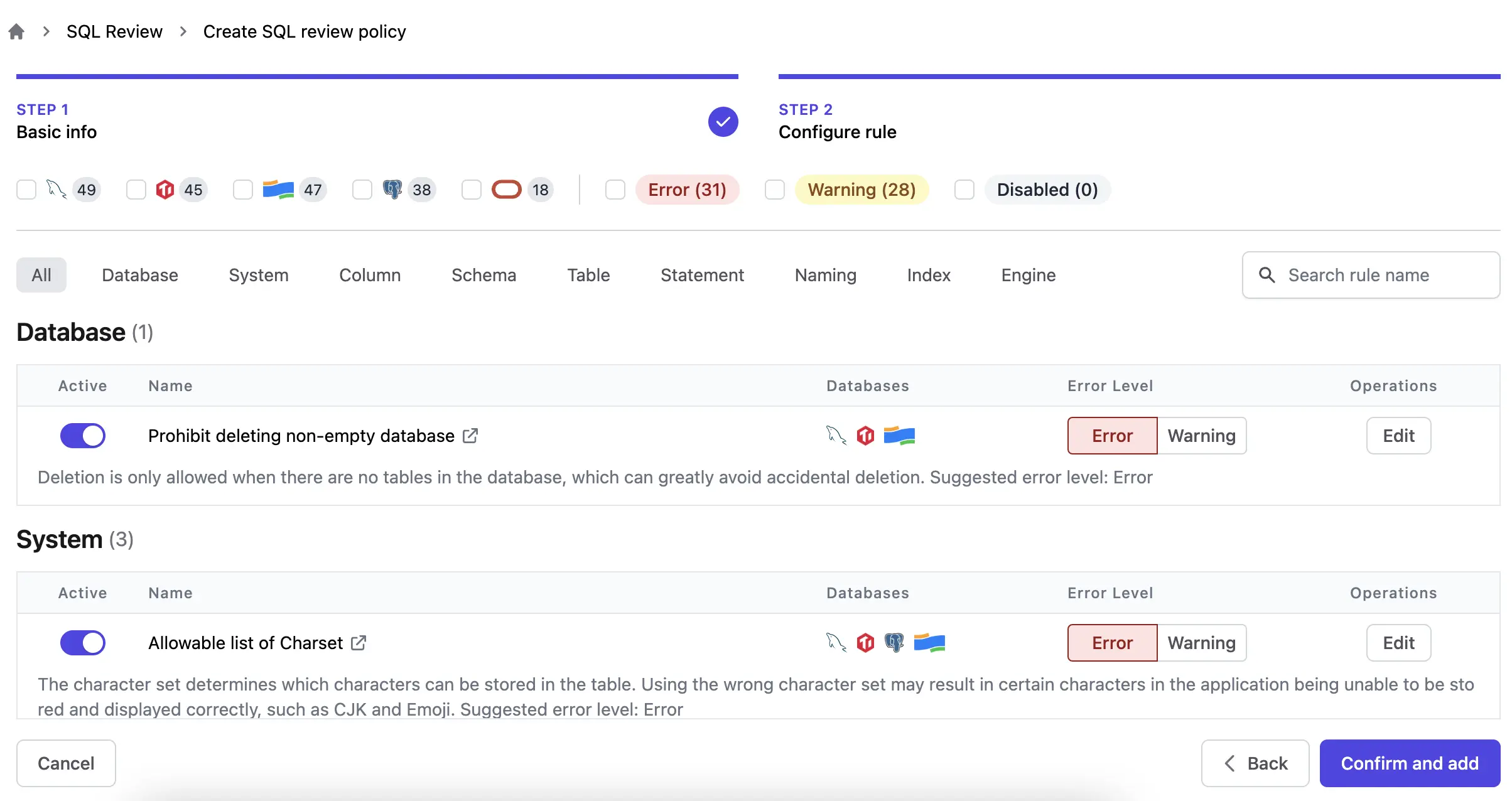
SQL review triggers automatically in three places:
- When a change issue is created.
- When querying in the SQL Editor.
- In GitOps — before SQL is merged into the main branch.
Bytebase also has AI features in the SQL Editor — text-to-SQL, query explanation, and problem detection. You bring your own LLM key.
Approval Flow
Liquibase has no built-in approval workflow in either edition. Approval happens outside the tool — in your CI/CD pipeline, Jira tickets, or Slack messages.
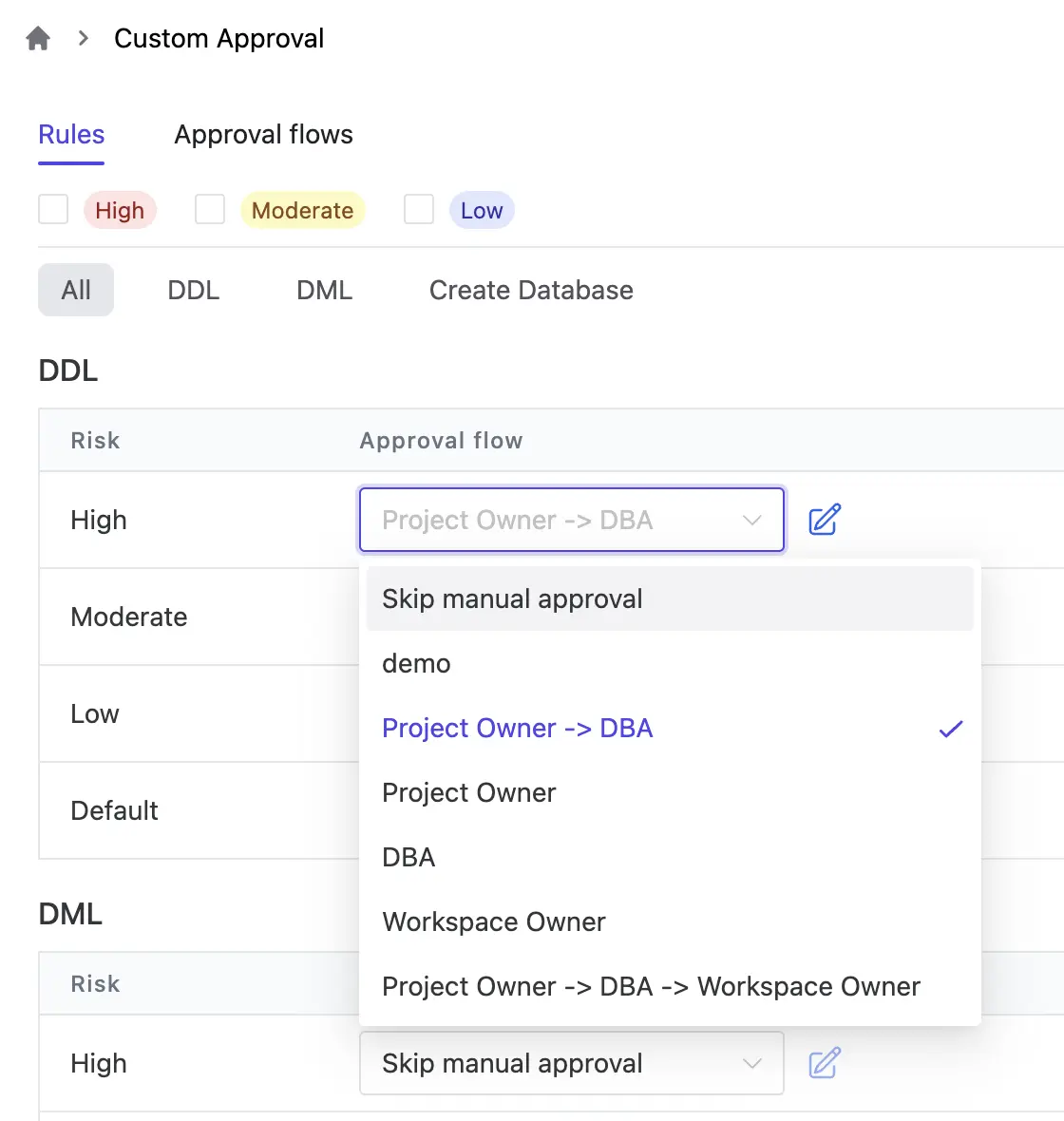
Bytebase has risk-based custom approval flows. You define rules like "DDL on prod needs DBA approval" or "changes touching 3+ databases need manager sign-off," and the system routes each issue to the right reviewers based on what it touches.
Rollback
Liquibase Community supports basic rollback — you write rollback SQL manually in your changelog and run liquibase rollback to a specific tag or date. Liquibase Secure improves this with auto-generated rollback scripts for common operations, rollback reports (added in v4.27.0) that show what was rolled back, skipped, or failed, and custom rollback logic for complex cases.
Bytebase auto-generates rollback statements for DML changes and supports reverting to any previous schema version via schema sync. No manual rollback scripts needed.
CI/CD Integration
Liquibase fits into any CI/CD pipeline as a CLI step — GitHub Actions, GitLab CI, Jenkins, CircleCI. The Secure edition's Flow files add reusable pipeline definitions with conditional branching based on exit codes.
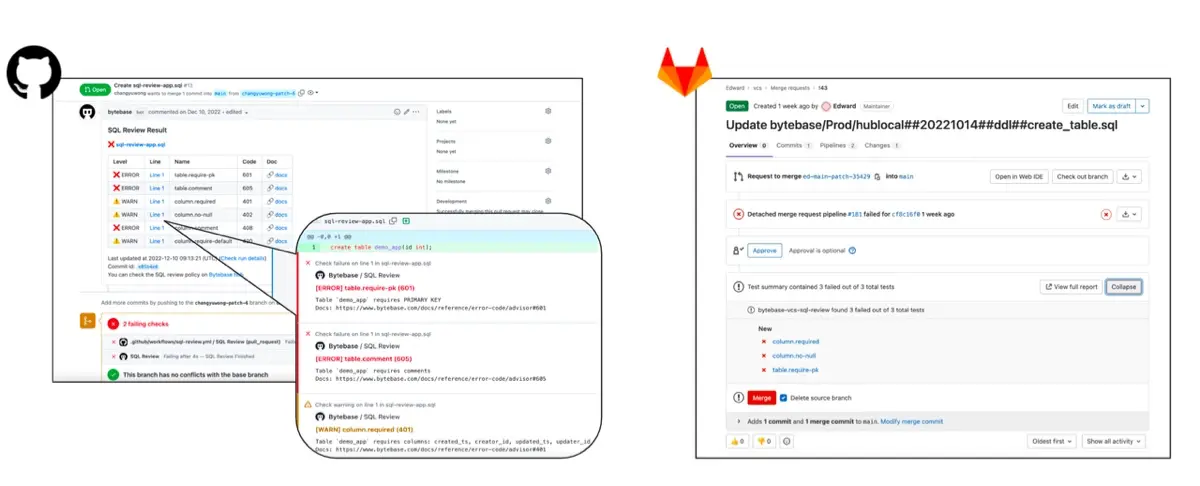
Bytebase offers point-and-click GitOps setup with GitHub and GitLab. SQL files committed to a repo automatically create change issues in Bytebase, with SQL review running as a merge check.
Change History
Liquibase tracks changes in the DATABASECHANGELOG table — a record of which changesets were applied, when, and by whom. You query it directly with SQL. The Secure edition adds structured JSON logging (replacing the old text-based logs) that you can pipe into Datadog, Splunk, or any log aggregator. This is how Liquibase replaced the Hub dashboard — instead of a built-in UI, you build observability from the log stream.
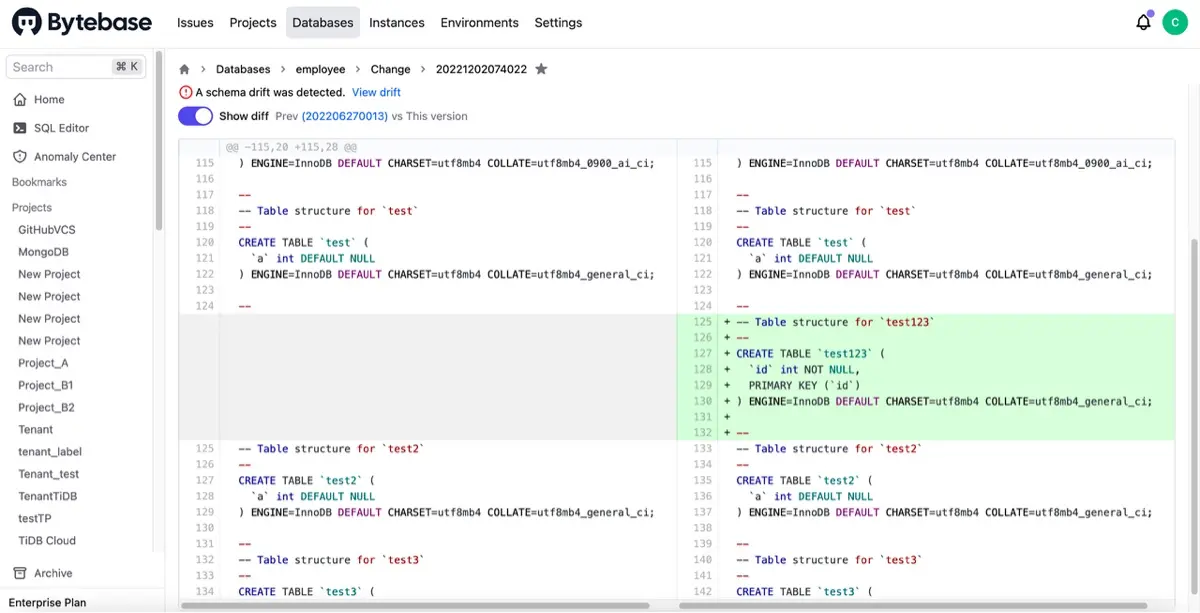
Bytebase provides a visual change history with schema diffs and links back to the originating issue, reviewer, and approval chain.
Data Access Control and Audit
Liquibase doesn't cover this area. Neither edition has access control, data masking, or audit logging — the Secure edition's structured logs tell you what changed and when, but not who queried what data. If you need database access governance, you'd pair Liquibase with a separate tool.
Bytebase bundles all of this:
- RBAC — workspace and project-level roles (Admin, DBA, Developer, Releaser) plus custom roles with granular permissions.
- SQL Editor — centralized query interface where data access is controlled and logged.
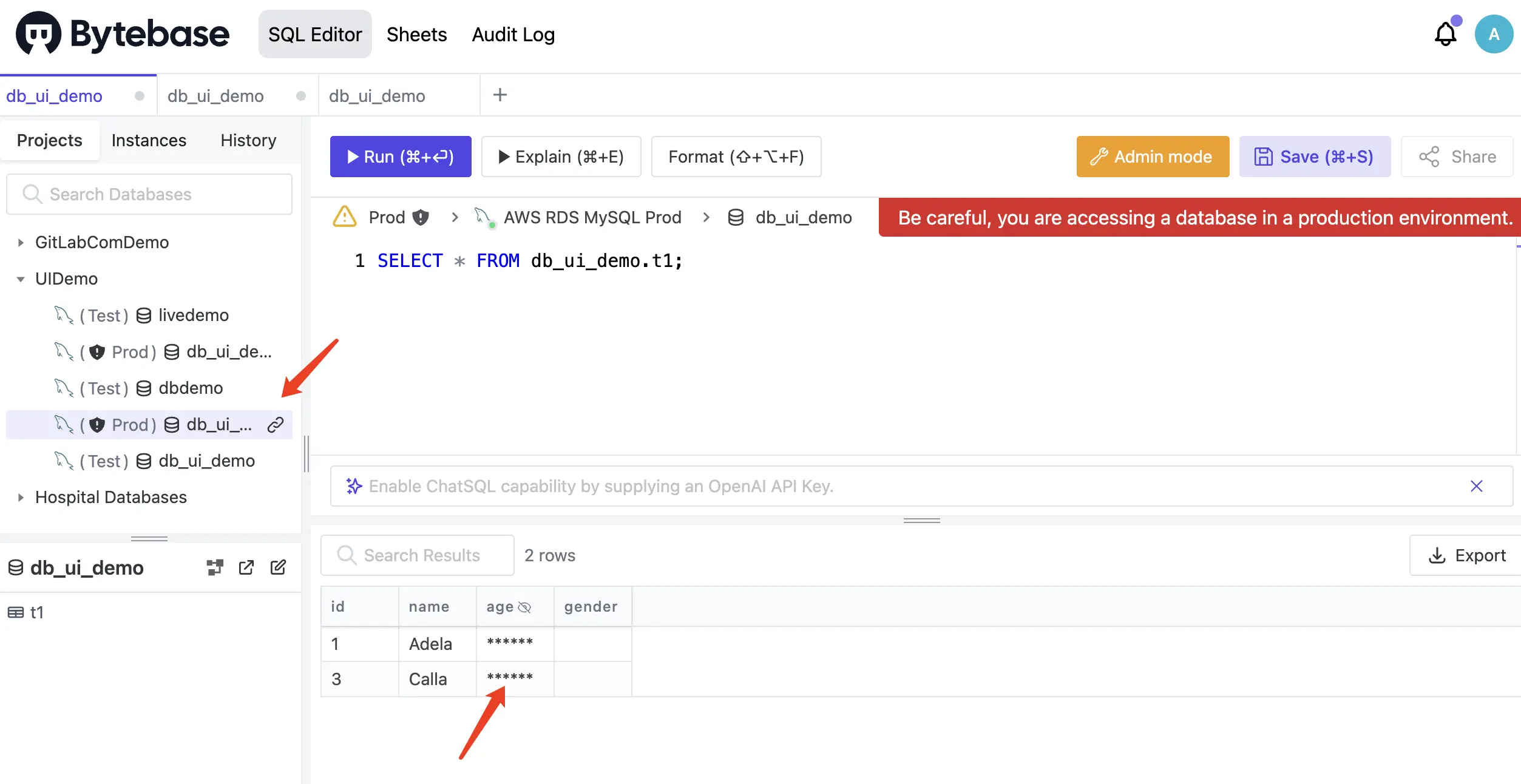
- Data masking — column-level dynamic masking with multi-level policies, built into the SQL Editor.
- Audit log — every operation is recorded, with integrations to Splunk, Datadog, Elastic, and cloud logging services.
- SSO (Google, GitHub, OIDC, LDAP) and 2FA for enterprise authentication.
- Just-In-Time (JIT) data access (new in v3.16) — developers request temporary query access, a reviewer approves it, and access expires automatically.
Pricing
Liquibase restructured its pricing in September 2025 into five tiers: Community (free), Starter, Growth, Business, and Enterprise. All paid tiers are branded "Liquibase Secure." Paid plans are gated by number of applications, database types, and company revenue (Starter and Growth require under $1B revenue). No public pricing — quotes only.
Bytebase has three tiers: Community (free, self-hosted), Pro (cloud-hosted, monthly subscription), and Enterprise (self-hosted or cloud, 14-day free trial). Full pricing details.
When to Choose Liquibase
- Your team is CLI-first and wants to embed migrations directly into existing CI/CD pipelines.
- You need to support a wide range of databases (60+), including niche or legacy systems.
- Your developers already work in Java/JVM ecosystems.
- You need a migration engine, not a governance platform — access control and approval happen in other tools.
When to Choose Bytebase
- Your team includes DBAs or platform engineers who review database changes before they reach production.
- You need a collaborative workflow — approval flows, role-based access, audit logging — not just a migration CLI.
- You want SQL review, data masking, and access control in one platform instead of stitching together separate tools.
- You're running multi-environment or multi-tenant deployments where batch change orchestration matters.
FAQ
Can I use Liquibase and Bytebase together?
They solve different layers. Liquibase handles the migration file format and execution; Bytebase handles collaboration, review, and governance. Most teams pick one, but if you already have a library of Liquibase changelogs, you don't have to throw them away — Bytebase can manage the review and deployment side while Liquibase stays as the execution engine.
Is Liquibase still open source?
Liquibase Community switched from Apache 2.0 to the Functional Source License (FSL) in September 2025. FSL is not an OSI-approved open source license — it restricts commercial use in competing products. Each version reverts to Apache 2.0 after two years. Bytebase core is open source under a similar business source license.
Which tool has better CI/CD integration?
Depends on what "CI/CD integration" means to you. If it means "I want a command I can add to my Jenkins/GitHub Actions pipeline," Liquibase wins — it's just a CLI call. If it means "I want SQL files in a repo to automatically become reviewed, approved change issues," Bytebase's GitOps integration does that out of the box.
What happened to Liquibase Hub?
Liquibase Hub (the web dashboard) was sunset in April 2023 and never replaced. There's no Liquibase GUI anymore. The Secure edition compensates with structured JSON logs you can pipe into Datadog or Splunk, and a VS Code extension for IDE-based interaction — but if you want a web UI for database changes, Liquibase doesn't have one.
Related comparisons: